Skip to content
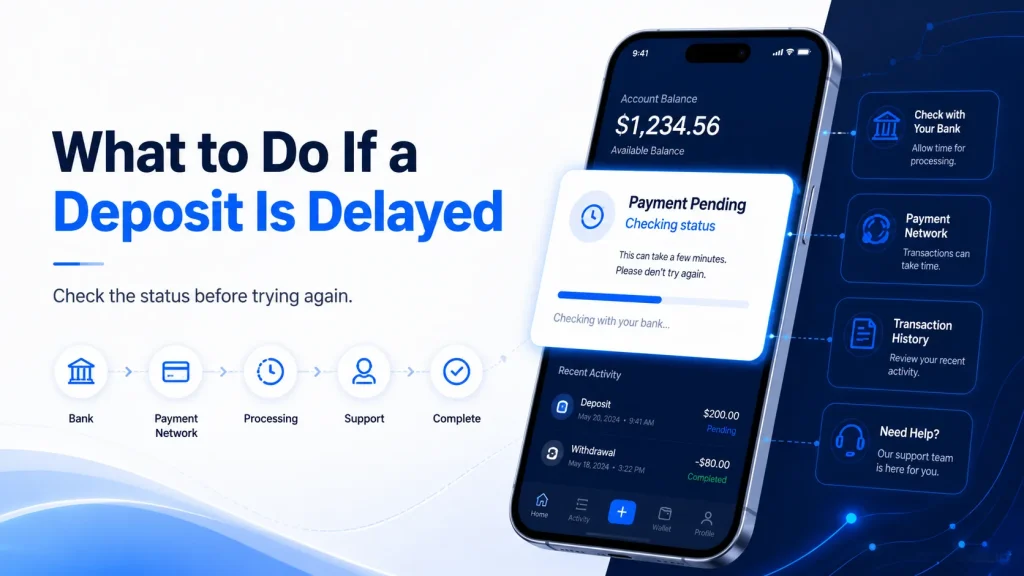
A casino deposit delay can be confusing, especially when money has already left your bank account but your account balance has not changed. However, a delayed deposit does not always mean the money is lost. The transaction may still be pending with your bank, payment provider, payment network, or the system responsible for adding the funds to your account.
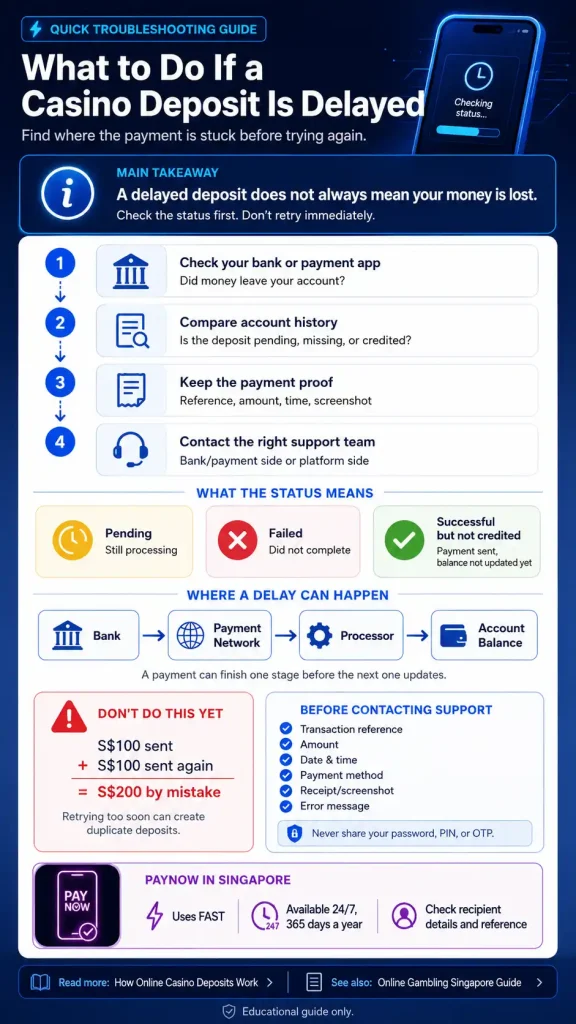
The most important thing is to find out where the payment is stuck before trying again. Check the transaction status in your bank or payment app, compare it with your account transaction history, and keep the payment reference. If the bank shows that the payment was completed but the deposit is still missing, you may need to contact support so the transaction can be traced.
For a broader overview of platforms, payments, regulation and player safety, see our Online Gambling Singapore Guide.
Why Can a Casino Deposit Be Delayed?
Understanding how online casino deposits work can help explain why a payment may be delayed. Depending on the payment method, several systems may need to process and confirm the transaction before the funds appear in your account.
Bank Processing Delay
Your bank may still be processing the payment. If the transaction is marked as pending, it usually means the payment has started but has not reached a final status.
In this situation, checking with the bank may be more useful than immediately contacting the receiving platform because the payment may not have fully left the banking system yet.
Payment Provider Delay
Some transactions pass through a payment gateway or payment processor before reaching the final receiving system. A temporary technical problem, maintenance period, or processing queue can slow this step.
Payment Authentication Was Not Completed
Card payments and some digital payment methods may require an extra security check. If the authentication step is closed too early or fails, the transaction may remain incomplete or be rejected.
Transaction Limits or Restrictions
Banks and payment services can apply daily limits, transaction limits, or security controls. A payment that exceeds one of these limits may be rejected or held for review.
Always check the rules shown by your bank or payment provider rather than assuming the receiving platform caused the problem.
Account-Crediting Delay
Sometimes the payment itself has completed, but the user’s balance has not updated yet.
This happens because payment completion and account crediting are separate steps. The payment system may confirm that money was transferred while the receiving platform still needs to identify the payment and connect it to the correct account.
Incorrect Payment Details
An incorrect amount, payment reference, account identifier, or recipient can also cause problems. Before contacting support, compare the payment details with the instructions that were displayed when the transaction was made.
First Check the Status of Your Payment
The fastest way to understand a casino deposit delay is to compare what your bank shows with what the receiving account shows.
| Bank or Payment Status | Platform Status | What It May Mean | What to Do |
| No transaction | Nothing showing | Payment may never have started | Check payment steps again |
| Pending | Pending | Payment is still being processed | Wait and check the bank status |
| Successful | Pending | Payment completed but account processing may continue | Keep the transaction reference |
| Successful | Nothing showing | Payment may need to be traced | Contact support with evidence |
| Failed | Nothing showing | Payment did not complete | Check bank/payment provider reason |
| Reversed | Nothing showing | Funds may have been returned | Check your bank balance/history |
| Successful | Credited | Payment completed normally | No action required |
This table is more useful than looking only at the account balance. The status on both sides can help show which part of the payment process needs attention.
Pending vs Failed vs Completed but Not Credited
These three situations may look similar because the balance has not changed, but they are not the same problem.
Pending Deposit
A pending transaction has started but has not reached a final result. For example, you make a $50 payment and your banking app displays:
Status: Pending
The best first step is usually to check the bank or payment provider because the payment itself is still being processed.
Failed Deposit
A failed payment did not complete. Possible reasons include payment authentication problems, insufficient funds, transaction limits, incorrect payment information, or a security check. If your bank says the transaction failed, do not treat it as a missing successful deposit.
Completed but Not Credited
This situation deserves more attention. Your bank may show:
Status: Successful
while the receiving balance still shows no deposit.
That means the payment appears to have completed at the payment level, but the receiving account may not yet have been credited. Keep the transaction reference and check the platform’s payment history before contacting support.
What to Do If a PayNow Deposit Is Delayed

For Singapore users, PayNow deserves separate attention because it works differently from a traditional bank transfer.
The Association of Banks in Singapore states that PayNow allows participating bank and major payment institution customers to send SGD through FAST using details such as a mobile number, NRIC/FIN, or Virtual Payment Address. PayNow is available 24 hours a day, 365 days a year and is designed for instant transfers.
If a PayNow payment does not appear where expected, check these points first:
- Was the transaction successful in your banking app?
- Did you send the correct amount?
- Did you confirm the correct recipient before paying?
- Is there a transaction reference?
- Does the payment appear in your account transaction history?
- Does the receiving platform show it as pending?
Since June 2026, ABS says the PayNow nickname feature for retail customers has been removed. Instead, selected letters from the registered payee’s name are shown to the payer before payment as an added safeguard against impersonation scams. This makes checking the displayed recipient details before confirming a transfer particularly important.
Different payment methods can have different processing steps. See our comparison of PayNow vs other payment methods.
How Long Should You Wait for a Casino Deposit?
There is no single processing time that applies to every deposit. Timing depends on the payment method and where the delay occurs.
| Payment Method | General Payment Behaviour | Possible Delay Point |
| PayNow | Designed for fast or instant SGD transfers | Receiving/account-crediting process |
| Bank transfer | Depends on transfer type | Bank or reconciliation process |
| Debit/credit card | Often processed quickly | Authentication, issuer or processor |
| E-wallet | Often fast | Wallet provider or verification |
| Other payment service | Provider-dependent | Payment gateway or processor |
PayNow itself is built on FAST for instant SGD transfers, according to ABS. However, an instant transfer does not guarantee that a separate third-party account balance will always update at the same moment.
Instead of relying on an arbitrary rule such as “wait exactly 10 minutes,” check the actual transaction status. A successful payment that remains missing needs a different response from a transaction that is still marked pending.
Payment technology continues to change how deposits are processed. See our guide to Online Gambling Payment Trends.
Should You Make Another Deposit If the First One Is Delayed?
Usually, you should first find out what happened to the original payment. Repeating the same payment too quickly creates the risk of a duplicate transaction.
For example:
You deposit $100. After several minutes, the balance has not been updated, so you send another $100. The first transaction later finishes as well. You have now transferred $200 when you intended to send $100.
Instead of retrying immediately, check whether the first transaction is pending or successful. If the status is unclear, keep the payment reference and ask the relevant support team to investigate.
What Information Should You Prepare Before Contacting Support?
Support teams can investigate a missing payment more easily when you provide clear transaction details.
Prepare:
| Information | Why It Helps |
| Transaction reference | Identifies the payment |
| Deposit amount | Helps match the transaction |
| Date | Narrows the search |
| Exact or approximate time | Helps locate the transaction |
| Payment method | Shows which payment system was used |
| Transaction status | Shows whether it is pending or successful |
| Payment receipt/screenshot | Provides supporting evidence |
| Error message | Helps diagnose technical problems |
Do not send sensitive security information such as your banking password, PIN, OTP, or full login details.
A legitimate support investigation should not require your banking password or one-time security code.
When Should You Contact Your Bank or Payment Provider?
Contact your bank or payment provider when the problem appears to be on the payment side.
Examples include:
- the transaction has remained pending;
- the payment was rejected;
- an unexpected amount was deducted;
- the transaction was reversed;
- you believe money was sent to the wrong recipient;
- you do not recognise the transaction.
If you accidentally transferred money using incorrect PayNow details, contact your bank promptly rather than trying to correct the problem by sending another payment.
When Should You Contact Platform Support?
Platform support is more relevant when:
- your bank shows a successful payment;
- the recipient details appear correct;
- you have a valid transaction reference;
- the platform still shows the deposit as pending;
- the transaction does not appear in your account history.
Provide the transaction information in one message where possible. This reduces the need for repeated questions and makes the payment easier to trace.
How to Reduce the Risk of Future Deposit Problems
No payment method can guarantee that every transaction will complete without delay, but a few simple checks can reduce avoidable problems.
Before confirming a transaction, check the recipient information, payment amount, and any reference required by the platform. Keep the payment receipt until the balance has updated.
Do not repeatedly press a payment button or send a second transfer because the first one appears slow. Check its status first.
It also helps to understand how your chosen payment method works. PayNow, bank transfers, cards, and e-wallets can follow different processing and verification steps.
Payment methods can differ in speed, verification and processing steps. Compare PayNow vs other payment methods before choosing how to pay.
A Note for Singapore Readers
Payment troubleshooting should also be considered separately from whether a gambling service is lawful.
Singapore’s Gambling Regulatory Authority states that gambling is prohibited unless it is licensed or exempted. GRA also states that Singapore Pools is the only operator currently licensed by GRA to provide remote gambling services, and participation in unlicensed remote gambling is an offence in Singapore.
This article explains payment troubleshooting for educational purposes. It does not confirm that any particular gambling platform is legal, licensed, or safe to use.
Frequently Asked Questions
Why Is My Casino Deposit Pending?
A pending deposit normally means the transaction has started but has not reached a final status. Check both your bank or payment app and the receiving account’s transaction history. If your bank still shows the payment as pending, the bank or payment provider may be the best place to check first.
Why Was Money Deducted but My Balance Did Not Update?
Payment completion and account crediting can be separate processes. Your bank may record a successful transfer before the receiving system finishes matching and crediting the transaction to your account. Keep the transaction reference and contact support if the balance remains unchanged.
How Long Does a Casino Deposit Take?
There is no universal time. Processing depends on the payment method, bank, payment provider, security checks, and the receiving system. Look at the actual transaction status rather than assuming that every deposit should take the same amount of time.
Should I Deposit Again If My First Deposit Is Missing?
It is safer to determine the status of the first transaction before trying again. If the first payment later completes, retrying too early could result in two payments instead of one.
What Should I Do If My PayNow Deposit Is Not Showing?
Check whether your bank says the PayNow transaction was successful, confirm the amount and recipient details, save the transaction reference, and check the receiving account’s payment history. If PayNow shows a completed transfer but the funds are still not credited, contact the relevant support team with the transaction details.
What Details Should I Give Support for a Missing Deposit?
Provide the transaction reference, payment amount, date, time, payment method, current status, and a payment receipt or screenshot if needed. Never provide your banking password, PIN, or OTP.
Do baccarat roadmaps predict the next result?
No reliable mathematical basis shows a roadmap predicting the next independent baccarat outcome. Roadmaps record and organise previous results. They do not remove the game’s built-in house edge.
What is the difference between live baccarat and RNG baccarat?
Live baccarat presents a physical table, real cards and a live dealer through video. RNG baccarat generates and presents the game through software. Both formats still centre on comparing Player and Banker totals against nine.
Final Takeaway
When a deposit is delayed, the first goal should not be to make another payment. It should be to identify where the original transaction is currently sitting.
Check your bank status first, compare it with the receiving account’s transaction history, keep the transaction reference, and only escalate the issue once you know whether the payment is pending, failed, reversed, or completed but not credited.
This simple diagnostic approach reduces confusion, lowers the risk of duplicate payments, and gives support teams better information if the transaction needs to be traced.