Skip to content
KK8 App Download: Official APK for Android and iOS
Download the official KK8 app for Singapore. Android installs from the APK below, iOS installs from the App Store, and the H5 web app runs in any mobile browser.
Download the KK8 App
Access the full KK8 catalogue, place live bets, and withdraw to PayNow. The app uses the same account and the same balance as the website, so nothing needs to be transferred.

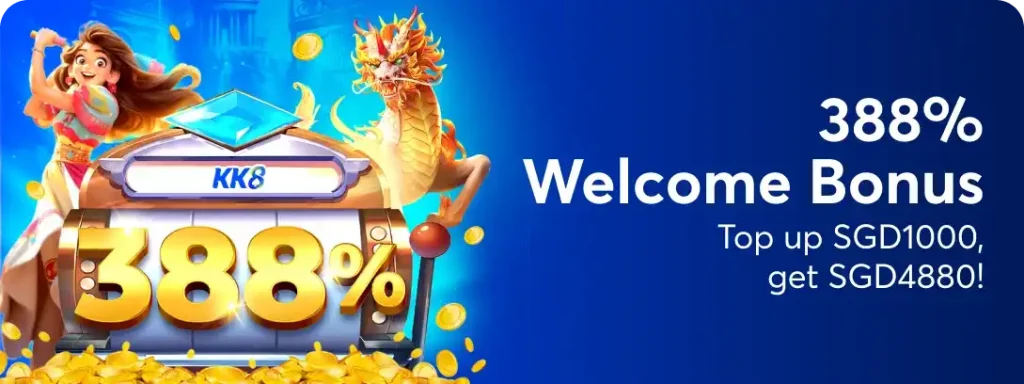
EXCLUSIVE APP BONUS: Welcome Bonus 388% on first login
Why is KK8 App #1 in Singapore?
890K+
DOWNLOADS
4.9/5
RATING
2min
BANK WITHDRAWAL
99.9%
UPTIME
Exclusive App Features

Premium Interface
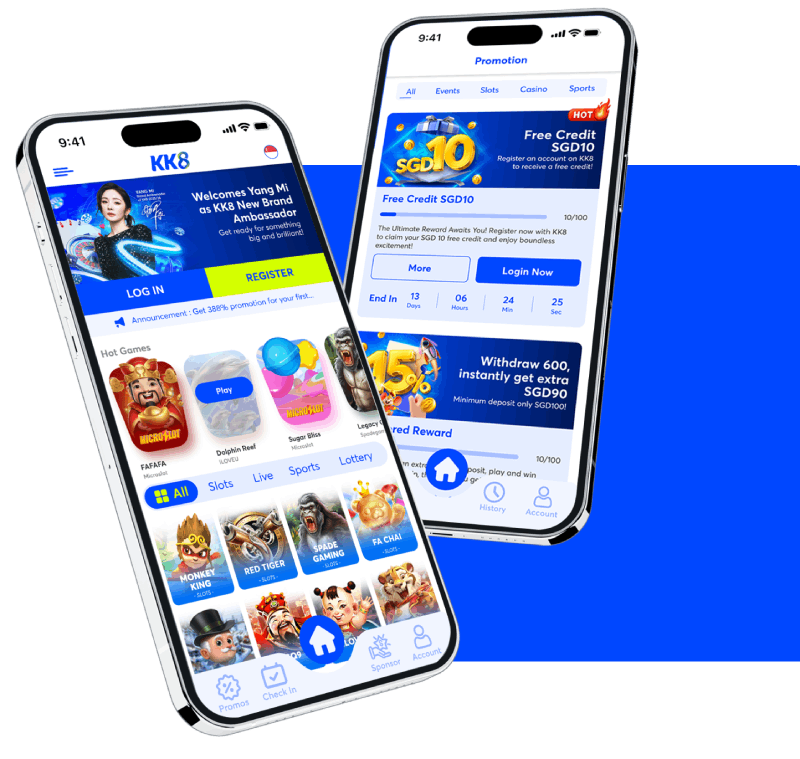
Built for Mobile Designed for one-handed use on a phone screen, with faster access to live tables and your bet slip than the mobile site.

Instant Bank Withdrawal
PayNow Withdrawals Withdraw straight to PayNow from inside the app. Typical processing time is 2 minutes.

Exclusive Games
App-Only Games 100+ titles available in the app that do not appear on the website.
Extreme Speed
Faster Loading The app caches assets on your device, so games and tables open faster than they do in a mobile browser.
Biometric Login
Biometric Login Sign in with fingerprint or Face ID after your first login. Enable it under Profile → Security.
Smart Notifications
Match and Payout Alerts Get notified when a bet settles, a withdrawal completes, or a match you are following starts.
One Account Everywhere
Your username, password and balance are identical across the app, the website and the H5 version. There is no separate app account to create.
Automatic Updates on iOS
The App Store and H5 versions update themselves. The Android APK does not, so reinstall the latest file from this page when a new version is published.
Paynow Turbo
Withdrawals via Paynow in record time of 2 minutes, 24 hours a day, 7 days a week. The fastest in the Singapore market!
Scan to Install KK8 APP
Scan the code for your device. Android downloads the APK directly, App Store opens the iOS listing, and H5 Web adds KK8 to your home screen with no install required.
Android

App Store

H5 Web
App vs Website - KK8 Complete Comparison
Feature
App
Website
Loading Speed
- 5x faster
- Standard
Biometric Login
- Face ID + Fingerprint
- 5x faster
Push Notifications
- Real Time
- Not Available
Offline Mode
- Available
- Requires Internet
Exclusive Games
- 15+ exclusive
- Standard catalog
Bank Withdrawal
- 2 minutes
- 3 minutes
Special bonuses
- Welcome Bonus 388%
- Standard Bonus
How to Download KK8 App
Downloading the KK8 App is super easy and fast. We highly recommend that you only get it from trusted sources to make sure to stay out of any potential risks.
Android Installation Guide
Step 1: Tap the Download button in the Top Right Menu Bar on KK8 SG Official Website.
Step 2: KK8 APK file begins downloading to your device immediately.
Step 3: Open your phone Settings and navigate to the Security or Privacy section.
Step 4: Enable the option to Install from Unknown Sources to allow app permissions.
Step 5: Locate the downloaded APK file in your File Manager application.
Step 6: Tap the APK file and follow the on-screen instructions to complete the installation.
iOS Installation Guide
Step 1: Scan the official QR code displayed on KK8 Platform.
Step 2: Tap the notification link to open the download page in your mobile browser.
Step 3: Click the Install button to begin the process.
Step 4: Follow the prompts to add the KK8 app to your home screen for quick access.
How to Download KK8 App
Only download the KK8 APK from this page. Files on third-party APK mirrors are not published by us and may have been repackaged. Android will warn you when installing any file from outside the Play Store, which is a standard warning for all APKs rather than a problem with this one.
Android Installation Guide
Step 1: Tap the Download button at the top of this page to get the official APK.
Step 2: The file downloads to your device. If Chrome warns about the file type, tap Download anyway.
Step 3: Open the file from your notification bar, or find KK8 apk in Files under Downloads.
Step 4: Android will block the install and offer a Settings prompt. Turn on Allow from this source, then press back. You are granting this to your browser, not to KK8.
Step 5: Tap Install, wait for it to complete, then tap Open.
Step 6: Go back to Settings → Apps → Special app access → Install unknown apps and switch the permission off again. It takes ten seconds and stops future downloads from prompting to install.
iOS Installation Guide
Step 1: Scan the App Store QR code above, or search KK8 in the App Store.
Step 2: Tap Get and confirm with Face ID, Touch ID or your Apple ID password.
Step 3: Wait for the install to finish, then open the app from your home screen.
Step 4: Log in with your existing KK8 account. No separate registration is needed.
System Requirements
Android
Version: Android 16 or higher
RAM: Minimum 2GB
Storage: 150MB free
Internet: 3G/4G/5G/WiFi
IOS
Version: iOS 26.5.1 or higher
Devices: iPhone 6s or newer
Storage: 200MB free
Internet: 3G/4G/5G/WiFi
Security
Encryption: AES-256
Biometrics: Face ID, Touch ID
Certificate: SSL/TLS
Backup: Automatic cloud backup
Welcome Bonus: 388% on Your First App Login
🚀 Exclusive app offer! Over 890,000 players have already downloaded the kk8 app and enjoy the fastest betting experience in Singapore.
Don’t waste time – your exclusive bonus is waiting!
⚡ LAST 6 HOURS: +3,247 new downloads! ⚡
🎁 Exclusive bonus valid only for the next 500 downloads!
⏰ Only 4 hours left to secure your bonus
EXCLUSIVE APP BONUS: Welcome Bonus 388% on first login
⭐
4.9/5
📱
890K+ Downloads
🏆
#1 Betting App
🔒
100% Secure
Frequently Asked Questions
Yes, when downloaded from this page. The APK is published by KK8 and signed with our developer certificate. Android shows a warning for every app installed outside the Play Store, which is a category-level warning about sideloading rather than a scan result for this file. Only download from kk8sg.com, because third-party APK mirrors sometimes repackage gambling apps to capture login details.
Google Play policy restricts real-money gambling apps in most regions, so the Android app is distributed directly as an APK. The iOS app is available on the App Store, where the policy differs.
Open the downloaded file, and when Android blocks it, tap Settings and enable Allow from this source. Some devices from Xiaomi, Huawei and Samsung block sideloaded installs at the manufacturer level as well, so check the phone's own security app for a second toggle. If you see "There was a problem parsing the package", the download was incomplete, so delete the file and download again on Wi-Fi.
On iOS and H5, updates are automatic. On Android, download the latest APK from this page and install it over the existing app. Do not uninstall first, because installing over the top keeps your login and settings. Check your current version under Profile → About.
Yes. The H5 web version runs in any mobile browser with no install. Scan the H5 Web QR code above or open kk8sg.com on your phone. The app is faster and adds biometric login and push notifications, but your account and balance are identical either way.