Skip to content
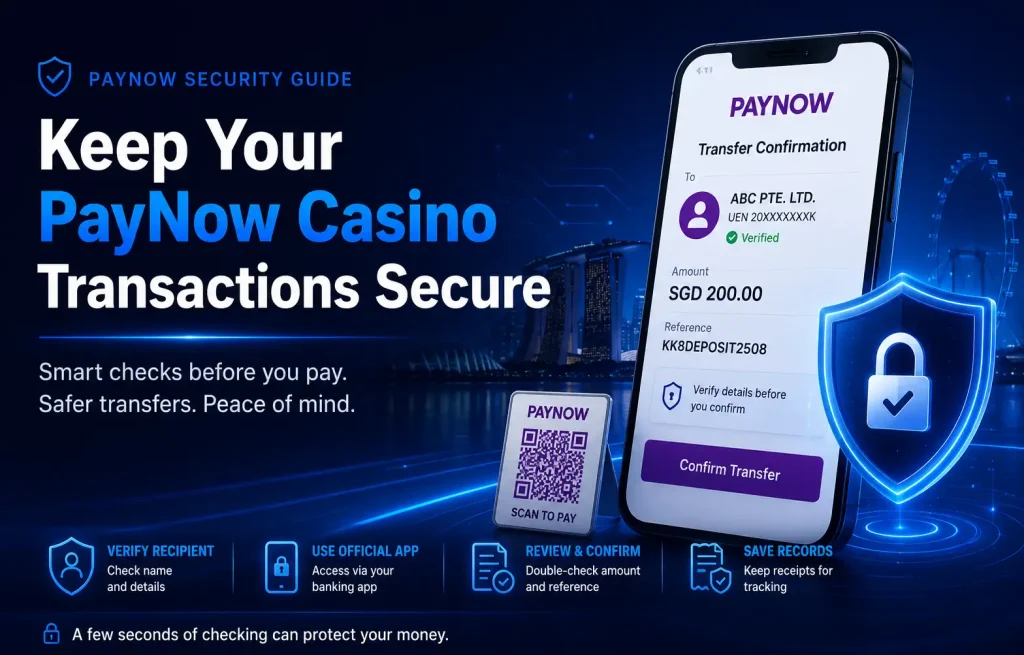
PayNow makes it easy to send Singapore dollars through a participating bank or payment app. A transfer often takes seconds, but this speed leaves little time to correct the recipient, amount or reference after confirmation.
Keeping a PayNow casino transaction secure involves more than protecting your banking password. You also need to confirm where the payment instructions came from, who will receive the funds and whether every detail matches before you approve the transfer.
This guide explains the checks you should complete before, during and after a PayNow payment.
Readers who need a broader explanation of the payment method can start with our PayNow Casino Singapore guide.
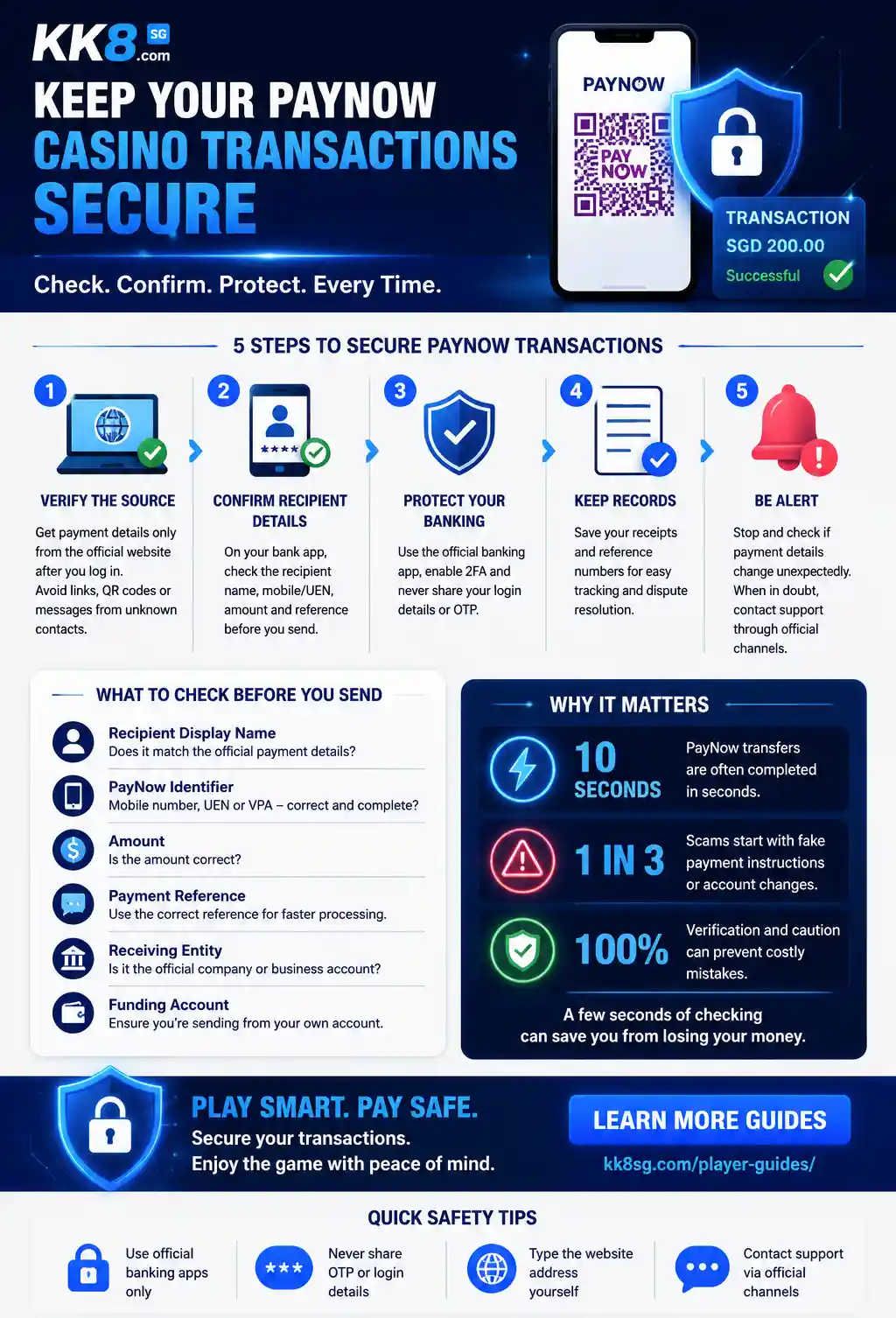
How PayNow Transaction Security Works
PayNow lets users send SGD through participating banks and payment institutions. Transfers run through Singapore’s Fast and Secure Transfers system, commonly known as FAST.
Instead of entering a full bank account number, a sender may transfer funds using a registered identifier such as:
- A mobile number
- A Unique Entity Number, or UEN
- A Virtual Payment Address
- A PayNow QR code
Before confirmation, the banking app displays information linked to the receiving account. This gives the sender an opportunity to check the recipient before approving the transaction.
These controls help reduce errors, but they do not confirm why the recipient is requesting money. A transfer can still reach the wrong party when the sender follows fake, outdated or altered payment instructions.
PayNow system security and transaction safety are related but different:
| Security layer | What it protects | What you need to check |
| Banking app | Access to your account | Use the official app and protect your login |
| PayNow confirmation | Recipient and transfer information | Review the displayed name and identifier |
| Gaming platform | Source of payment instructions | Confirm the website and support channel |
| Personal records | Evidence of the transaction | Save receipts and reference numbers |
For more detail about the payment network itself, read is PayNow safe for online casino transactions?.
Check Where the Payment Instructions Came From
Start with the source of the payment request. The safest approach is to obtain the current recipient details from the platform’s logged-in payment page. Treat details sent through an unsolicited SMS, social media message or private chat with more caution.
A message can look convincing while containing a substituted mobile number, QR code or UEN. Use the following checks:
- Access the website through your saved address or by typing the domain yourself.
- Sign in before viewing payment instructions.
- Compare information shown on the payment page with information supplied by support.
- Check the spelling of the domain.
- Avoid payment links sent by unknown accounts.
- Confirm any unexpected change through a separate official channel.
The Singapore Police Force advises users not to use clickable links or QR codes supplied by unknown parties. Users should complete payments through official banking apps obtained from recognised app stores.
Treat changed payment details as a warning sign
Stop when you are told to use a different receiving account without a clear explanation.
For example, suppose the payment page first displays a company UEN. A chat agent later asks you to transfer to a personal mobile number. Do not assume the second instruction is valid because the agent says the first account is under maintenance.
Return to the official payment page or contact support through a verified channel. The same principle applies when someone asks you to:
- Split one payment across several accounts
- Add an unrelated transfer description
- Send another payment to verify the first payment
- Transfer quickly before an account “expires”
- Keep the transaction secret
Before depositing, follow a full process to verify a PayNow casino and its payment details.
Confirm the PayNow Recipient Before Sending
Your bank’s confirmation screen is one of your final opportunities to prevent a mistaken transfer. Check the following information:
- Recipient display name
- Mobile number, UEN or other PayNow identifier
- Transfer amount
- Payment reference
- Receiving entity
- Account used to fund the payment
Do not focus only on the last few digits of the phone number. Review every available field.
PayNow names changed in June 2026
Since 6 June 2026, retail PayNow users no longer set their own PayNow nicknames. Instead, selected letters from the payee’s registered bank-account name appear to the sender.
The Association of Banks in Singapore introduced this change to reduce cases in which scammers used customised nicknames to impersonate trusted people or organisations. Business recipients using PayNow through a UEN were not using the retail nickname feature.
The displayed name may be partly hidden for privacy. You should still check whether the visible letters are consistent with the verified recipient information.
What if the name does not match?
Do not approve the transfer automatically. Take these steps:
- Return to the platform’s official payment page.
- Compare the PayNow identifier.
- Ask official support to confirm the receiving entity.
- Save a copy of the response.
- Cancel the transfer if the mismatch remains unexplained.
A valid PayNow account only confirms that the identifier is connected to an account. It does not prove that the request is legitimate.
Use Only Your Bank’s Official App
Open your banking app manually. Do not sign in through a link claiming to lead to a PayNow portal.
The Singapore Police warned about fake PayNow websites designed to collect personal and card details. PayNow does not operate a public website where users enter credit card information or renew a PayNow certificate. PayNow details should be managed through official bank or payment-provider sites and apps.
Stop immediately if a page asks for:
- Your banking username and password
- A one-time password
- Card details
- Singpass login information
- Remote access to your device
- Screen sharing
- Installation of an unknown app
- Payment for a PayNow certificate renewal
Banks and legitimate support staff should not need your banking password or OTP to confirm a deposit.
Review Every Field Before Confirmation
Fast transfers often fail because the sender relies on habit. Slow down at the confirmation screen. Use this checklist:
| Field | What to check | Why it matters |
| Recipient name | Does it match the verified receiving party? | Helps identify an unrelated account |
| PayNow identifier | Does the mobile number or UEN match? | Prevents payments to a substituted account |
| Amount | Is the SGD amount correct? | Prevents overpayment and typing errors |
| Reference | Did you enter the required reference correctly? | Helps the platform match the payment |
| Funding account | Are you using the intended bank account? | Keeps records easier to reconcile |
| Instructions | Are they still the same as those on the official page? | Detects last-minute changes |
Does a small test payment make the transaction safe?
A small test transfer only confirms that money reached the selected PayNow account. It does not prove the recipient is trustworthy. Complete the source and recipient checks first. Do not use a test transfer as a replacement for verification.
Protect Your Bank Account
Payment checks will not help if someone gains control of your banking account. Strengthen your account security by:
- Enabling two-factor or multi-factor authentication
- Using a unique device passcode
- Turning on transaction alerts
- Reviewing devices linked to your banking app
- Setting a suitable daily transfer limit
- Keeping your banking app and phone software updated
- Removing unknown apps and permissions
- Using your bank’s money-locking feature for funds you do not need to transfer
ScamShield and the Singapore Police recommend official banking apps, two-factor authentication and transaction limits for PayNow and other internet-banking payments. They also advise users to contact their bank immediately after suspected phishing or unauthorised activity.
A lower PayNow limit does not prevent every scam, but it limits the amount that can leave your account in one transfer or day.
Keep a Clear Transaction Record
Save enough information to show what you were instructed to pay and what you sent. Keep:
- The original payment instructions
- The recipient identifier
- The displayed recipient name
- The amount
- The payment date and time
- The bank transaction reference
- The platform payment reference
- The bank receipt
- Relevant support conversations
- The status shown in your account
A simple record might look like this:
| Detail | Example |
| Date and time | 5 August 2026, 3:15pm |
| Amount | SGD100 |
| Recipient identifier | Company UEN |
| Displayed name | Name shown by banking app |
| Bank reference | Transaction reference number |
| Platform reference | Deposit reference number |
| Status | Pending |
Do not edit the original receipt. Keep the full version containing the transaction date, amount and reference number.
A complete record is useful when a PayNow deposit is not showing or when you need to explain the transaction to your bank.
Common PayNow Warning Signs

Pause the transaction when you see any of these signs:
| Warning sign | Why it matters |
| Sudden change in recipient details | The payment instruction may have been altered |
| Unrelated personal account | The recipient may not match the stated business |
| Pressure to pay immediately | Urgency reduces the chance that you will verify |
| Request for an OTP | An OTP authorises access or a transaction |
| Link to a PayNow certificate page | PayNow does not issue public certificates |
| Request to install an app | The app may contain malware or enable remote access |
| Several accounts for one payment | Funds become harder to trace and confirm |
| Request to pay again to release funds | This is not a standard payment-verification process |
| Refusal to confirm the legal recipient | The payment arrangement lacks transparency |
ScamShield identifies unsolicited links, requests for banking details and transfers to unknown recipients as common scam indicators.
What to Do If Something Looks Wrong
Before sending
Do not confirm the payment. Instead:
- Take a screenshot of the payment request.
- Close any suspicious website.
- Open the official platform and banking apps separately.
- Contact support through a verified channel.
- Check the message, number or link through ScamShield.
- Delete the request if it cannot be verified.
After sending
Act quickly:
- Contact your bank through its official hotline.
- Explain that the transfer may be mistaken or fraudulent.
- Provide the transaction reference and recipient details.
- Ask what recovery or recall steps are available.
- Preserve messages, receipts and screenshots.
- Report the incident to the platform.
- Make a police report when fraud is suspected.
- Do not send more money to recover the first transfer.
The 24-hour ScamShield Helpline is available at 1799 for people who need help checking a suspected scam.
For more detailed recovery steps, read what to do if you sent money to the wrong casino account.
Secure PayNow Transaction Checklist
Before pressing send, confirm all six points:
- You opened the platform through its official address.
- The payment instructions came from an authenticated page.
- The recipient name and PayNow identifier match.
- The amount and reference are correct.
- You are using your bank’s official app.
- You are ready to save the receipt.
Stop when any detail is missing or inconsistent. A delayed transaction is easier to manage than money sent to the wrong party.
Final Takeaway
PayNow provides a fast way to transfer SGD, but the banking system cannot decide whether a payment request is genuine on your behalf.
A secure PayNow casino transaction depends on three checks:
- Verify the source of the payment instructions.
- Confirm the recipient and transfer details.
- Protect your bank account and transaction records.
Never approve a transfer because someone is pressuring you to act quickly. Review the recipient name, identifier, amount and reference every time, even when you have paid the same platform before.
For information about payment processes, comparisons and common transfer problems, explore the PayNow Casino Singapore resource hub.
Frequently Asked Questions
How do I keep a PayNow casino transaction secure?
Use the platform’s official payment page, open your bank app directly and confirm the recipient name, PayNow identifier, amount and reference before sending. Save the payment receipt after confirmation.
Is it safe to scan a PayNow QR code?
A QR code is a payment instruction, not proof that the recipient is legitimate. Only scan codes from a verified source and review the recipient details shown by your bank before approving the payment.
Should the PayNow recipient name match the platform name?
The displayed information should be consistent with the verified recipient details supplied by the platform. Stop and contact official support when the name appears unrelated or the receiving account changes without explanation.
Is a valid PayNow account proof that a website is legitimate?
No. A valid PayNow identifier only shows that the receiving account exists. It does not verify the website, payment request or reason for the transfer.
What should I do if the PayNow details suddenly change?
Do not send the payment until you confirm the new details through the official payment page or another verified channel. Treat unexpected account changes as a warning sign.
Does PayNow ask users to enter card details on a website?
No. The Singapore Police states that PayNow does not operate a public website asking users to enter personal or credit card details. Access PayNow through an official bank or payment-provider app.
What should I do after a suspicious PayNow transfer?
Contact your bank immediately, preserve the receipt and payment instructions, report the issue to the platform and make a police report when fraud is suspected. You can also call ScamShield at 1799.